Hi-res radar maps that show the weather rolling through use and display weather data from 192 unique weather regions across the continental US, and most of Canada. Updates every 15 minutes.
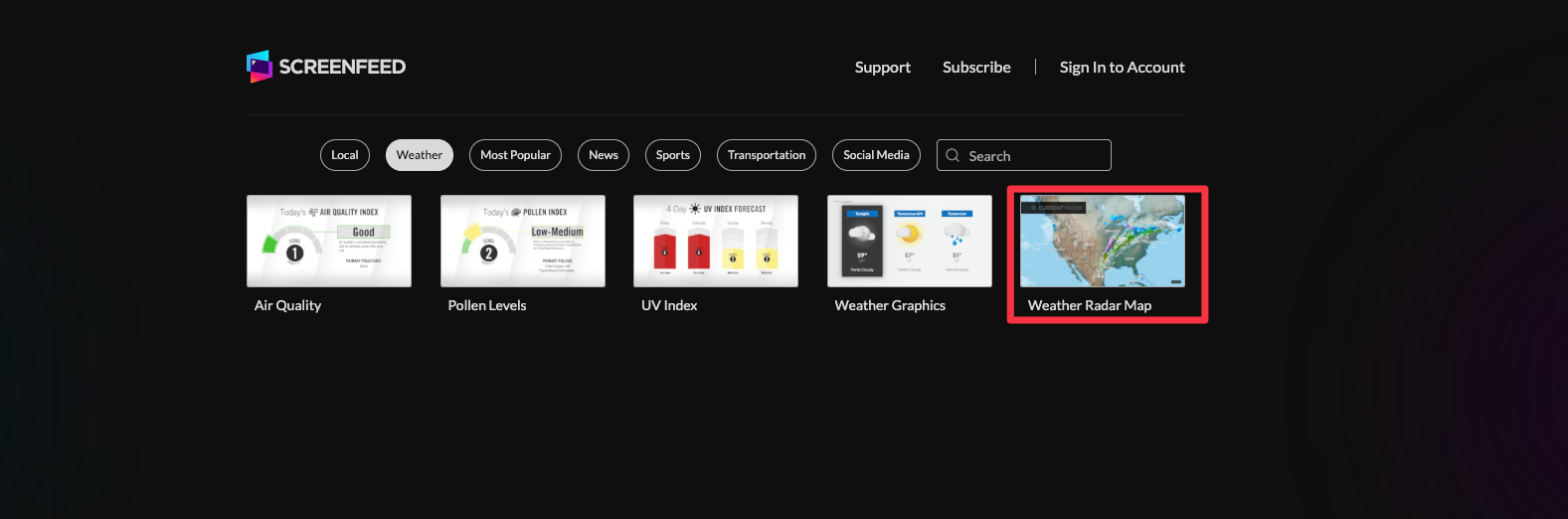
Begin configuring your feed from the content menu by selecting the Weather Radar Map tile.
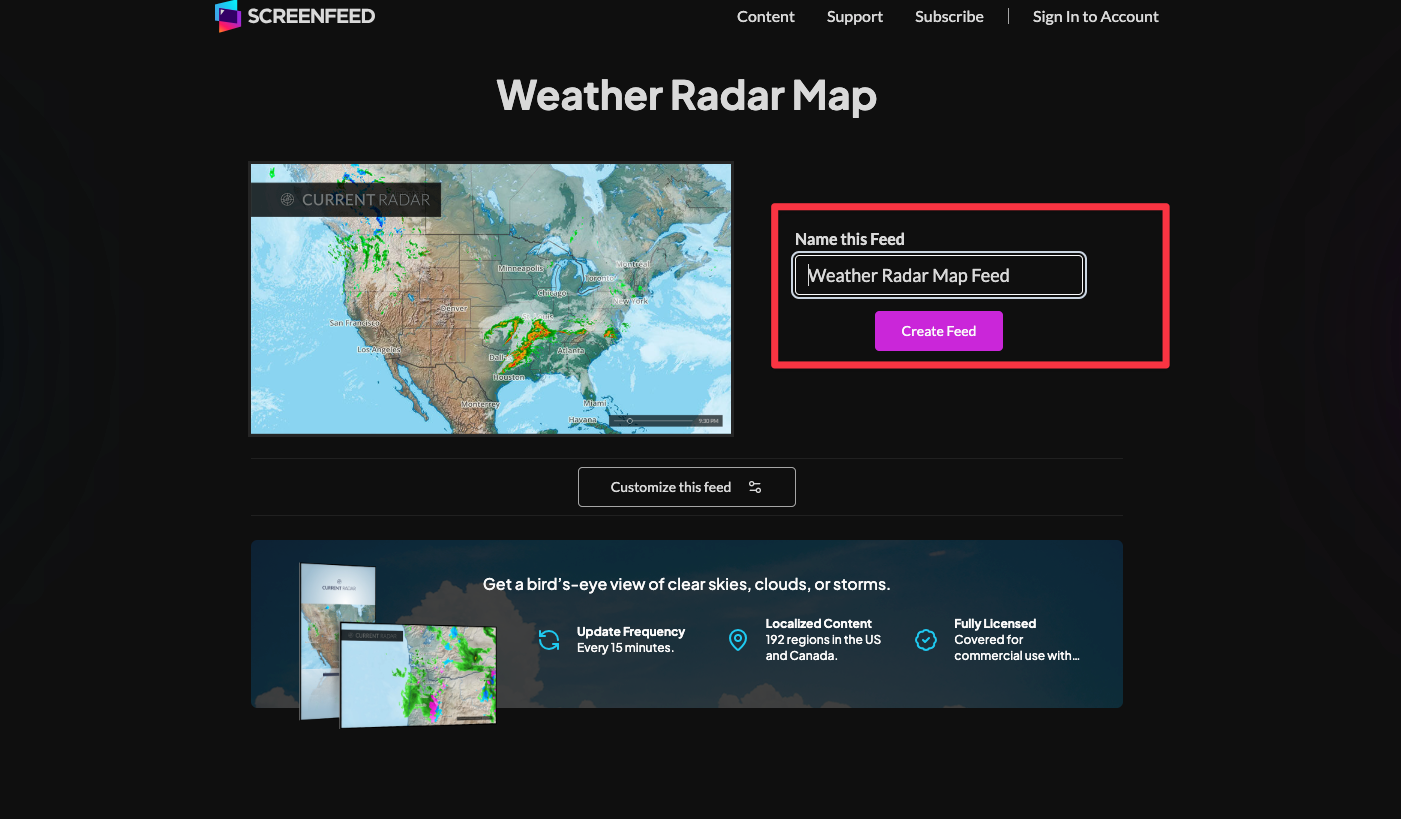
Set a custom name in the “Name this Feed” field on the right.
Click "Customize this Feed" if you wish to further customize the feed, or click create feed to generate a feed url with preset options selected.
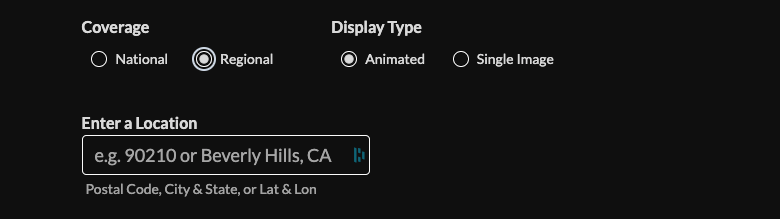
Select coverage (National/Regional) if Regional is selected enter a location in North America (Postal Code| City,State| Lat,Lon)
Set display type (animated/single image), toggle labels, and set the number of images in sequence.
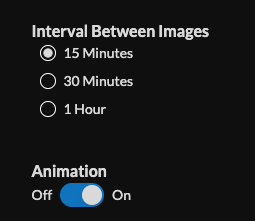
Set interval between images (15m, 30m, 1h) and enable/disable animation (This is for animated transitions and intros does not apply to single image feeds)
Choose intro settings and delivery method (HTML, Media RSS, Json). Need help picking a delivery Method Learn more about advantages to each delivery method here www.screenfeed.com/support-articles/delivery-methods-available
Click "Create Feed".Then Copy feed.
Frequently Asked Questions
Can I get Weather Radar over my location?
Regional Weather Radar is location based however it is only currently available for North America (US & Canada)
Can I get weather radar on my portrait screen?
Yes we have a letterboxed version of weather radar for portrait screens, available through HTML or Media RSS methods