Support
Using Ready-Made Feeds
Configuration

Inspirations

How to configure an Inspirations feed for your digital sign

Table of Contents

With inspirations, you can show significant quotes from prominent and familiar faces in entertainment, sports, leadership and more. You can also choose numbers that provide tidbits you may not have known based on a certain statistic.
Keywords:
Try it out

Inspirations Feed

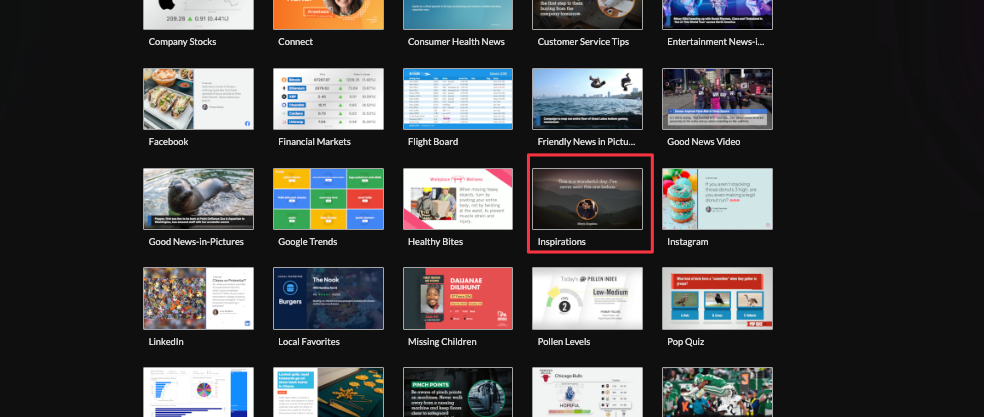
1. Begin configuring your feed from the content menu by selecting the inspirations tile.
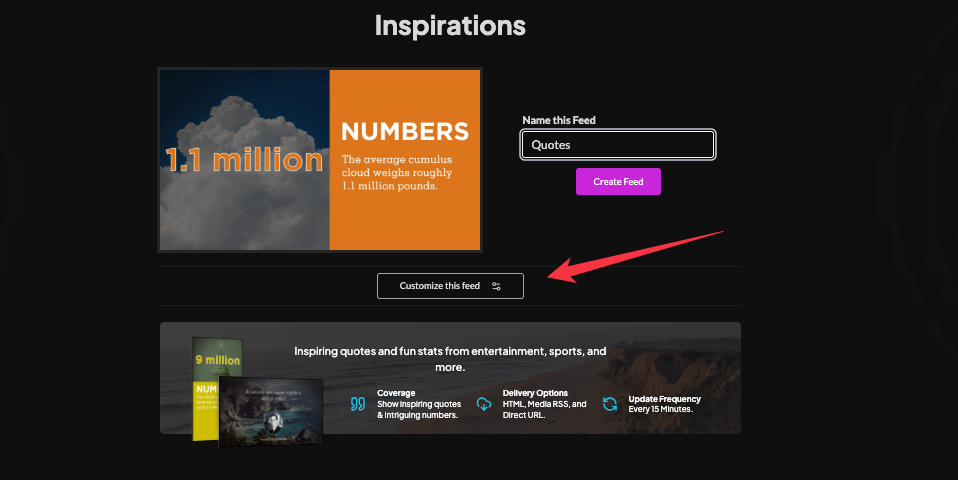
2. Set a custom name then click "Customize This Feed"
3. Select which content views by deselecting views to exclude.( Numbers: Interesting Statistics, Quotes: Inspirational Quotes)

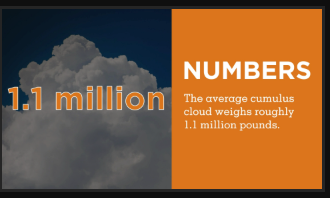
Number Content View
Quotes Content View

4. Set the delivery method (HTML, Media, RSS, Direct URL, Json, XML data).

5. Click "Create Feed".

Frequently Asked Questions
Related Articles:

Find Answers in our Knowledge base

Contact us for help

Support available between 9:00am and 5:00pm (CST-06:00), Monday through Friday

America

5115 Excelsior Blvd #129, Minneapolis, MN 55416, USA
info@screenfeed.com
+1 800 461 3002