Support
Using Ready-Made Feeds
Configuration

Safety Tips

How to configure a Safety Tips Feed for your digital sign

Table of Contents

Safety tips are a collection of helpful reminders to help encourage safety in the workplace inspired by OSHA regulations. Tips are a couple of short sentences and are paired with an image in the background.
Keywords:
Try it out

Safety Tips Feed

Begin configuring your feed from the content menu by selecting the Safety Tips tile.

Set a custom name and click "Customize This Feed".

Set delivery method (HTML media, RSS, direct URL, Json data)Learn more about advantages to each delivery method here www.screenfeed.com/support-articles/delivery-methods-available
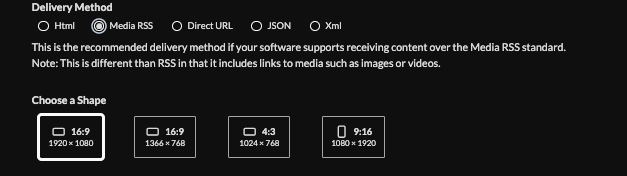
Click "Create Feed"

Frequently Asked Questions
Related Articles:

Find Answers in our Knowledge base

Contact us for help

Support available between 9:00am and 5:00pm (CST-06:00), Monday through Friday

America

5115 Excelsior Blvd #129, Minneapolis, MN 55416, USA
info@screenfeed.com
+1 800 461 3002